Guide
How to open a 7z file on iPad & iPhone
iPadOS and iOS can open .zip files on their own, but they have no built-in support for .7z archives. The fix takes about a minute: install a free 7z opener, tap your file, and extract. Here's exactly how.
Free · 1.3 MB · iOS/iPadOS 16+ · No ads, no subscription
Open a .7z file in 4 steps
Install 7zen (free)
Get 7zen from the App Store. No ads, no sign-in, nothing to unlock.
Tap your .7z file
Open the Files app — or Mail, a Safari download, or an AirDrop — find the .7z file and tap it. 7zen opens it automatically.
See what's inside
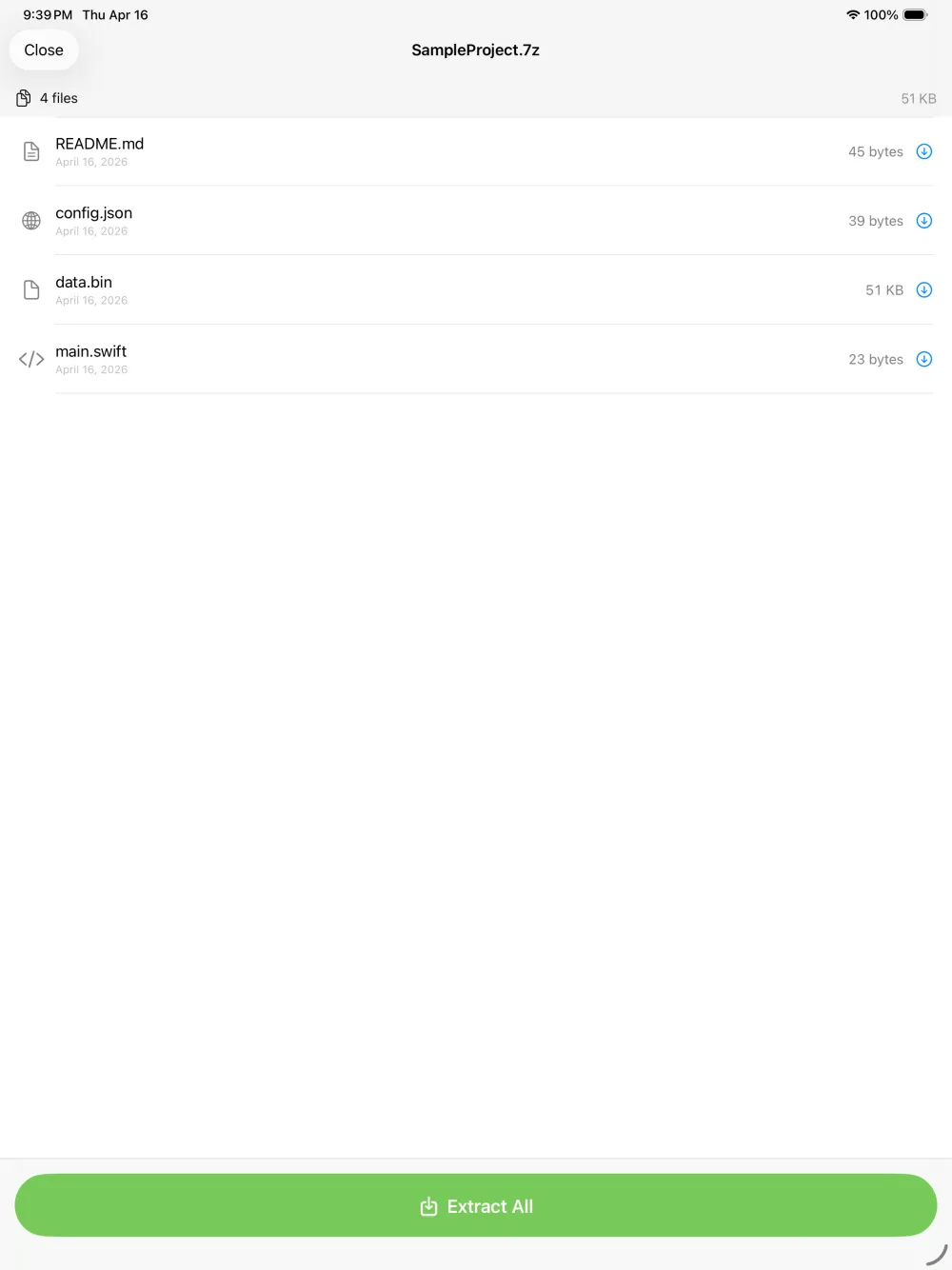
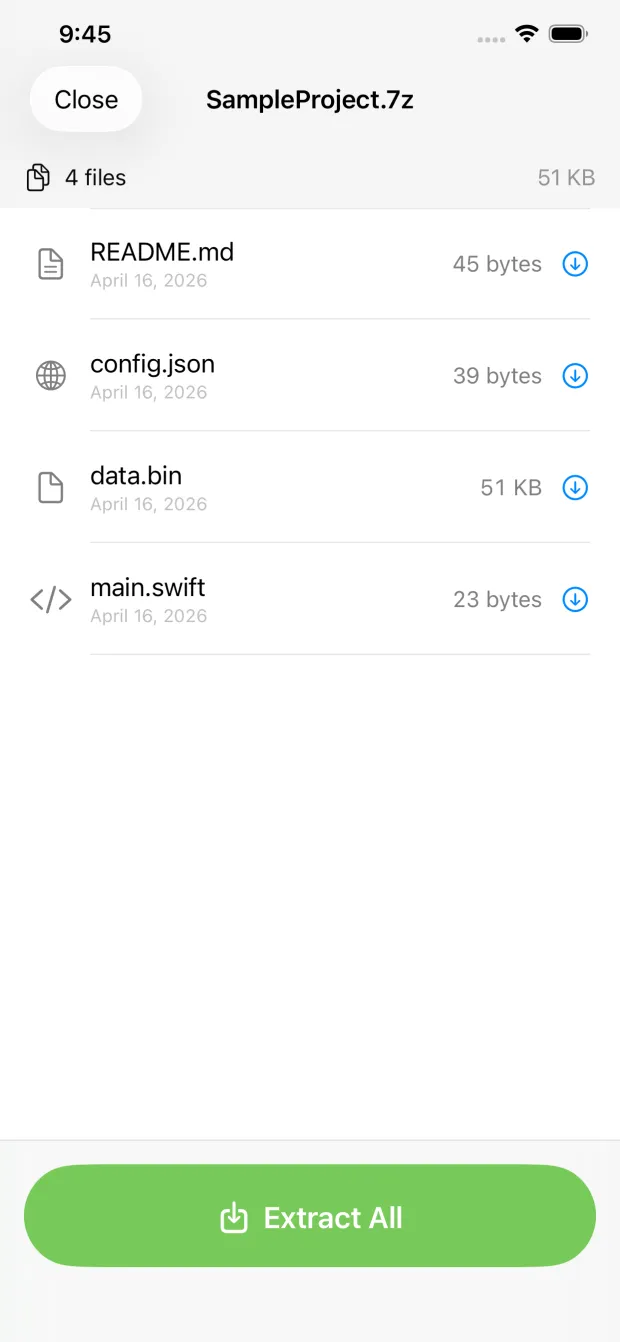
7zen lists every file with its name, size, and date. Tap any file for a full-size preview — images, PDFs, text and more — before you extract.
Extract & save
Extract everything or just the files you need, then save to Files, iCloud Drive, AirDrop, or any other app.
Why doesn't the iPad open 7z files by default?
Apple's Files app includes a built-in unzipper for the common .zip format, but it stops there. The 7-Zip format (.7z) uses different compression (typically LZMA/LZMA2) that iOS and iPadOS don't decode natively. That's why tapping a .7z usually does nothing, or offers to "open in" an app you don't have. 7zen adds that decoder, so .7z files open with a tap.
7zen opens more than just 7z
If your download turns out to be a different archive type, 7zen handles those too:
Frequently asked questions
Why can't my iPad open a 7z file?
iPadOS and iOS open .zip files natively but have no built-in support for .7z. You need a dedicated app like 7zen to read and extract 7-Zip archives.
Is opening 7z files on iPad free?
Yes. 7zen opens and extracts .7z files completely free — no ads, no in-app purchases, and no subscription.
Does it work on iPhone too?
Yes. 7zen opens .7z files on iPhone, iPad, Apple Silicon Mac, and Apple Vision Pro. It requires iOS or iPadOS 16 or later.
Where do the extracted files go?
You choose. After extracting you can save files to the Files app, iCloud Drive, AirDrop them, or send them to any other app via the share sheet.